

- Featured

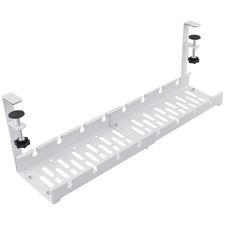
- 2 Colours
Amon Under Desk Cable Management Tray
10% off in cart. Min spend applies
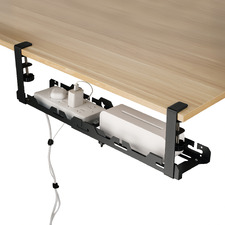
- 2 Colours
Ripley Steel Under Desk Cable Management
10% off in cart. Min spend applies
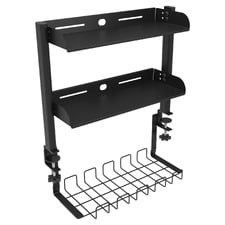
Ripley 2 Tier Desk Shelf with Under Desk Cable Management
20% off in cart. Min spend applies
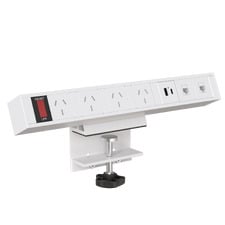
Black Clamp Power Board
10% off in cart. Min spend applies
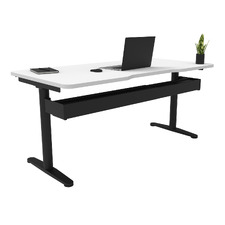
- 2 Colours
Herschel Desk Cable Duct
Cable management refers to the process of organising and managing cables that connect various electronic devices in a space. It involves techniques such as bundling, routing, labeling, and securing wires to prevent clutter and promote safety. Effective cable management is essential for maintaining a clean, functional, and aesthetically pleasing environment. With the increasing number of gadgets and appliances in modern households and offices, cable management has become a crucial aspect of interior design.
Why is cable management important?
Cable management is essential for several reasons. Firstly, it helps to maintain a neat and organised appearance by hiding unsightly cords from view. Secondly, it promotes safety by reducing the risk of tripping hazards or electrical fires caused by tangled or exposed wires. Lastly, proper cable management can improve the lifespan and performance of electronic devices by preventing damage due to overheating or interference.
What are some effective cable management techniques?
There are several techniques for effective cable management, including:
- Bundling: grouping cables together using ties or clips
- Routing: running cables along walls or under floors
- Labeling: identifying cables with tags or coloured bands
- Hiding: concealing cables behind furniture or inside walls
- Tidying: using accessories such as desk grommets or wire baskets to keep cables organised
How can I manage cables in my home office?
To manage your home office cables effectively:
- Use a desk with built-in cable management features such as grommets or channels.
- Use adhesive clips to secure cords to the underside of your desk.
- Purchase a power strip with built-in surge protection and cable management.
- Use cable ties to bundle cords together in groups.
- Label the ends of each cord for easy identification.
How can I manage cables behind my entertainment centre?
To manage cables behind your entertainment centre:
- Unplug all devices and remove them from the area.
- Group cables by device and label them for easy identification.
- Use cable ties or velcro straps to bundle cables together neatly.
- Tape or clip cables to the back of the entertainment centre to prevent them from dangling or tangling.
- Consider using a cable management box or sleeve to hide excess cords and power strips.
What are some benefits of using cable management accessories?
Cable management accessories such as wire baskets, grommets, and sleeves can help:
- Maintain a clean and organised appearance in your space
- Keep cords safely out of the way to reduce tripping hazards
- Avoid damage caused by overheating, interference, or accidental disconnection
If you're looking for ways to improve the appearance and safety of your home or office space, consider investing in effective cable management solutions. Not only do they promote organisation and cleanliness, but they can also prolong the lifespan of your electronic devices by preventing damage caused by cluttered wires.
To style a room with effective cable management techniques, consider using furniture pieces with built-in cable management features such as desks with grommets or media consoles with wire-routing holes. Use adhesive clips or hooks to secure cords along walls or under tables. Consider using a cable management box or sleeve to hide excess cords and power strips from view. If your cables are coloured, consider using them as an opportunity to add a pop of colour to your space by choosing brightly coloured accessories to match.



We're here to help
We're available every day: 8am-8pm
Help Centre
To help us help you as quickly as possible, please include your customer reference #: 01-X-CSN
By using our website, you agree to our Terms and, by providing us with your information, you are agreeing to our Privacy Policy.